BlitzRecorder
Record and edit on your Mac.
Record your screen and camera together, then edit the take on a timeline. Free, open source, and local.
macOS 15 Sequoia or later · Apple silicon and Intel · v0.35.0
00:00Mac app
One app from the first take to the export.
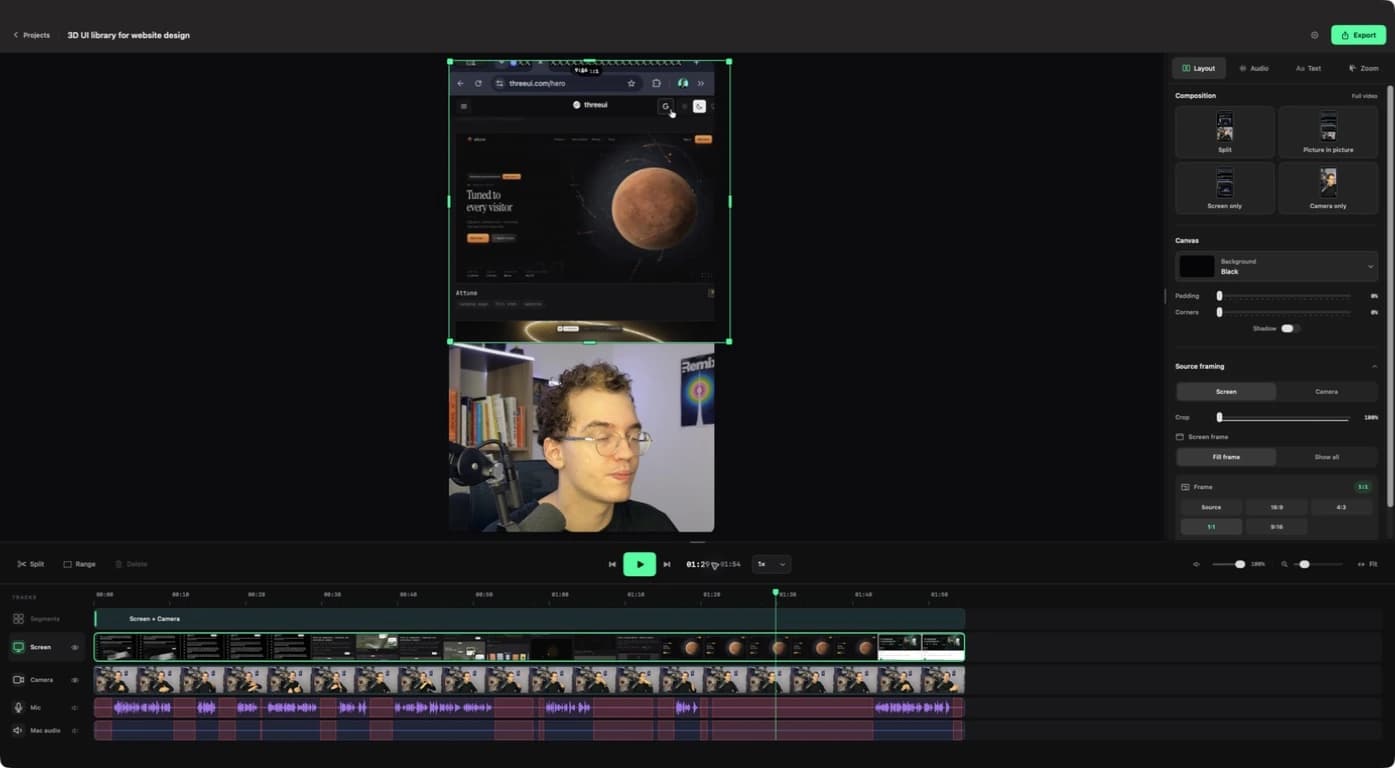
Frame the shot in 9:16 or 16:9 before you press record. When you stop, the take opens on a timeline with every source on its own track, ready to cut, relayout, and export.
- Screen, camera, microphone, and Mac audio in one take.
- Silence detection, text, zoom, and layouts in the editor.
- Transcripts with speakers, made on your Mac.
- Separate source files, so any take can be edited again.
- Optional share links with a transcript and chapters.
How it works
- 01
Frame the shot.
Choose your screen, window, or app, add a camera, and pick a layout. The preview is the export.
- 02
Record the take.
Switch scenes while you talk. Screen, camera, and audio are saved as separate files.
- 03
Edit on the timeline.
Remove silences, adjust crops and layouts, add text and zoom, then read the transcript.
- 04
Export or share.
Export up to 4K at 60 fps and up to 2x speed, share a link with the transcript and chapters, or send the MP4 to BlitzReels for captions.